
Role
Architect, Designer & Developer (AI‑assisted)
Built during my tenure as Public Relations Officer of the Australasian Institute of Mining and Metallurgy (AusIMM) Tarkwa Student Chapter. Our 11th Annual Conference needed over 500 personalised certificates, so I wrote a Python tool to produce them, then rebuilt it as a web app carrying the chapter's own branding and certificate designs, so the next PRO never has to write code at all.
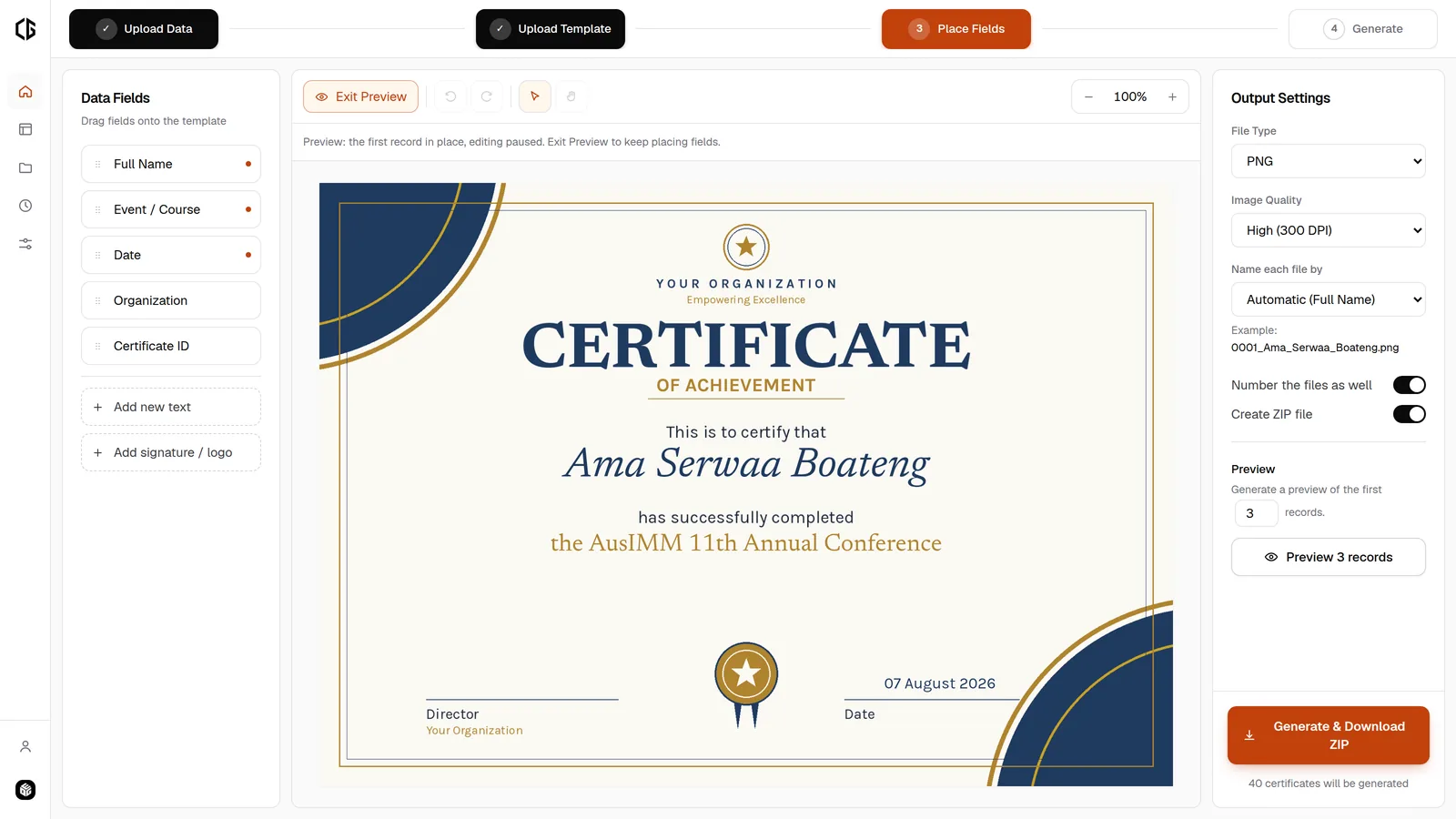
Live at the chapter's studio, which opens with the chapter's code. An open version anyone can try, with sample data and designs built in, is at bulk-cert-generator.vercel.app. Source on GitHub.
Every conference ends the same way. The talks finish, the photographs are taken, and someone has to produce a certificate for every person who attended. For the AusIMM Tarkwa Student Chapter's 11th Annual Conference, that was over 500 certificates, each carrying a different name, and all of them needed before students went home.
Doing that by hand is not a small job, it is an impossible one. Editing a design file 500 times introduces mistakes into exactly the artefact nobody should get wrong: a person's name on a document they will keep.
So I wrote a Python script. It read a spreadsheet, drew each name onto the certificate design, and wrote out the files. It worked, and the conference had its certificates.
To be clear about how it was built: the code was written with AI coding tools rather than by hand. I can read and adapt code, but I am not a developer by training. That changed how fast the code appeared, not what had to be decided, and the deciding is what the rest of this page is about.
The script was the easy half. The hard half is that the script only works if the person holding it can write Python, and the chapter elects a new PRO every year.
A one-off script solves one event. The next PRO inherits a file they cannot read, for a design that has changed, with column headings that no longer match. In practice they do not inherit a tool at all, they inherit the same problem and a reason to feel bad about it.
So I rebuilt it as a web app: the same job, delivered as something an organiser can use without knowing what a script is. Then I built a second edition of it that belongs to the chapter rather than to me.
Four steps, and nothing in between that needs explaining.
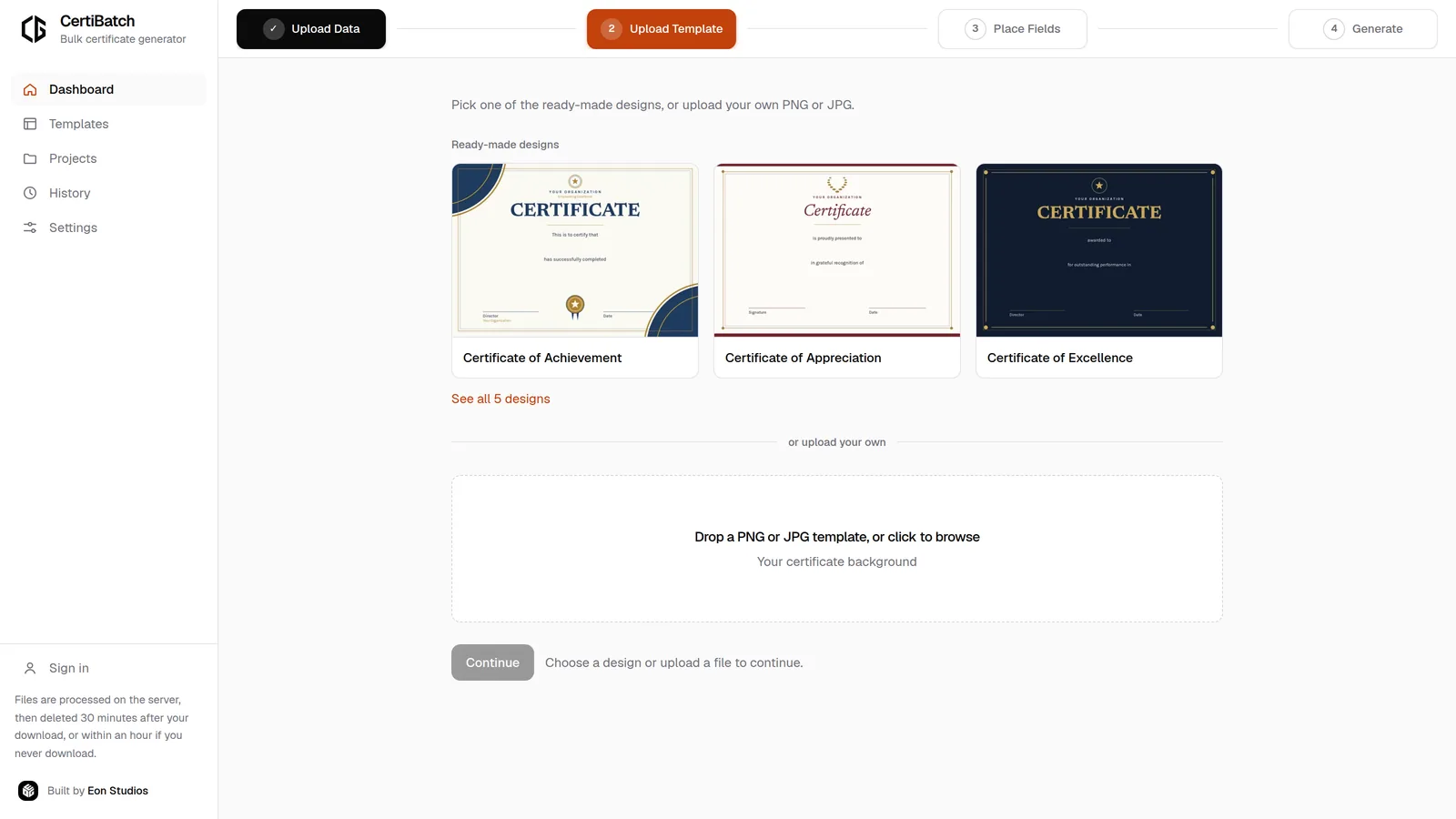
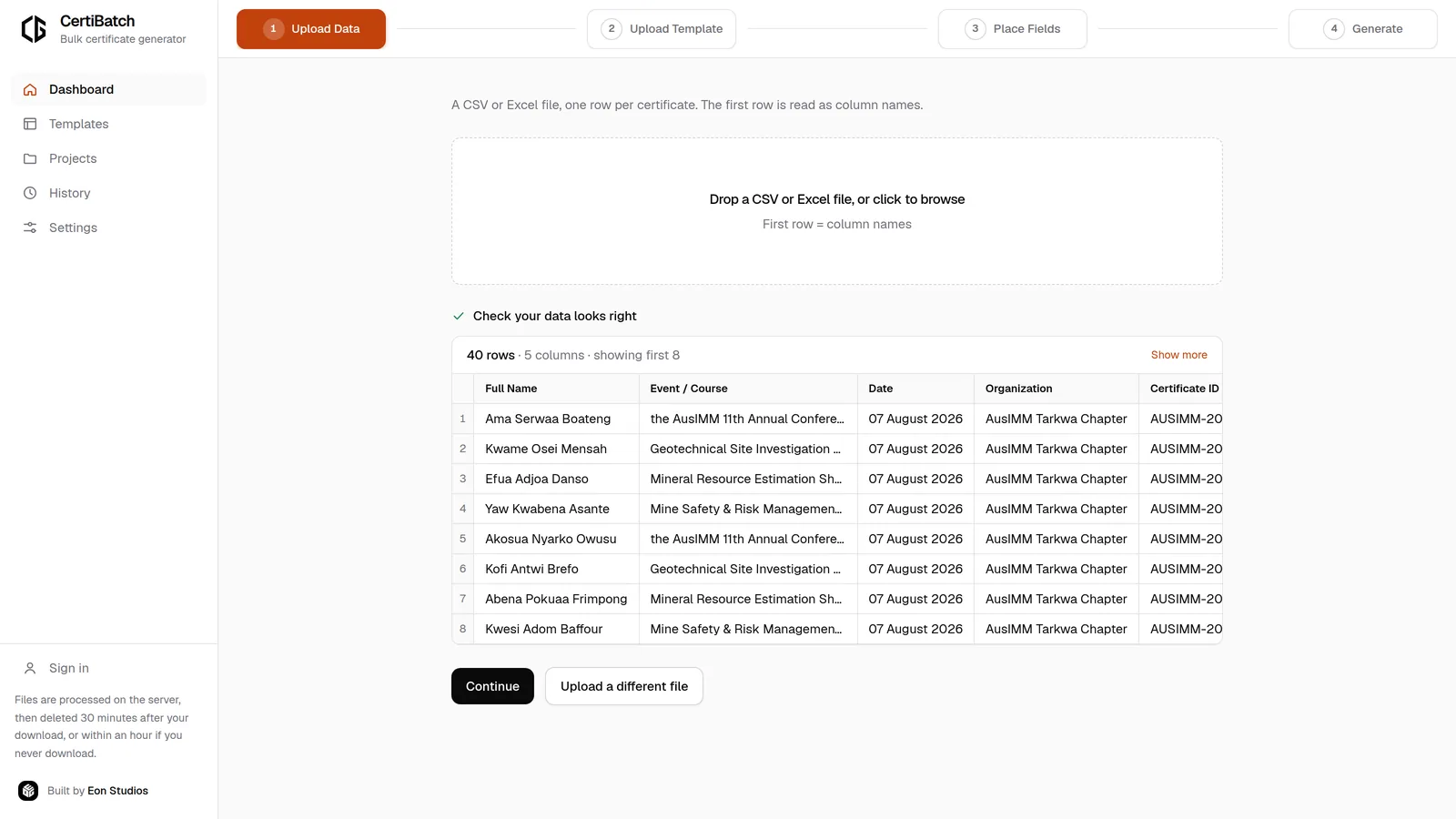
The general tool works for anybody, which is precisely why it does not feel like it belongs to the chapter. The second edition carries their colours, their logo and their certificates, and three decisions came out of that.
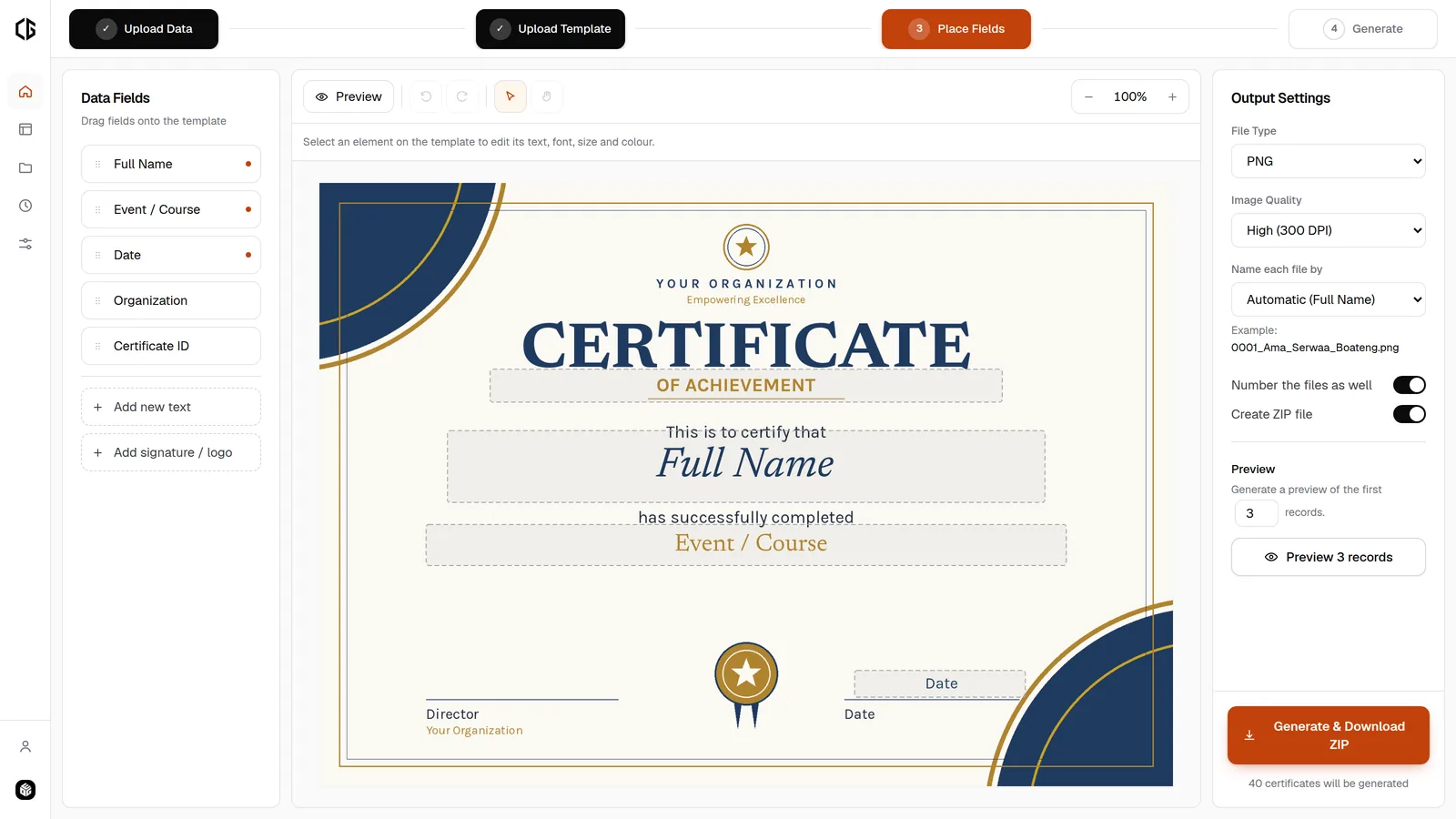
The chapter's real certificates are in it, and they are editable. Both designs were taken apart from the original Photoshop files, so every line of text is a field with the same typeface, size and letter-spacing the designer chose, and only the signatures and the frame are baked into the artwork. That matters for the line nobody thinks about until the year turns: the conference theme. It is a field, so next year's PRO sets this year's theme instead of asking a designer for a new file.
There is no sign-up, only a chapter code. Accounts would mean holding personal data, and a chapter that elects new officers every year does not want an account tied to whoever set it up. One code opens the tool, and it is handed to the office rather than to a person. The code is never compared in the browser, because a string checked in front-end code ships inside the page where anyone can read it, and a lock like that only looks like a lock. It is verified server-side, so nothing checkable ever reaches the client.
It locks itself after half an hour unused. The site carries the chapter's logo, so a tab left open on a shared computer is enough for a stranger to produce something that looks official. A batch still running counts as the tool being in use, so nobody is locked out of a download they are waiting for.
The interesting constraint is that the browser and the server have to agree about a certificate neither of them can see at the same size.
The editor shows the design scaled down to fit a laptop screen. The server renders it at full print resolution, often several thousand pixels across. If field positions were stored as screen pixels, every certificate would print with the text in the wrong place.
So positions are stored as fractions of the artwork, from 0 to 1, and never as pixels. A name placed halfway across and just under halfway down sits at the same point on a 900-pixel preview and a 3500-pixel print file. The same principle governs type size, which is stored as a fraction of the artwork's height. The typefaces are loaded twice, once as web fonts for the canvas and once as font files for the renderer, so that the face you place with is the face that prints.
The second constraint is time. Five hundred certificates take minutes to render, and every proxy between a browser and a server will drop a request long before that. Generation therefore does not happen inside the request: submitting a batch returns immediately, the work runs on a background worker, and the browser polls for progress and then downloads. That boundary is a single interface, so the thread pool behind it can become a proper job queue without touching a route.
A certificate is a thing you print, or email to one person. That makes PDF the right default, but only if a PDF batch is actually cheap, and the obvious implementation is not: saving each rendered certificate as a page embeds the artwork once per certificate, and 500 of those is a download nobody can receive.
Two things fix it. The artwork is prepared once for the whole batch rather than once per certificate, and it is embedded as JPEG, so the PDF library copies those bytes in instead of re-compressing pixels. Only the background is ever compressed; every name is drawn over it as vector type, which is why the text stays sharp at any zoom and can be selected and searched.
Measured on the chapter's 500 participation certificates at 300 DPI:
So the default output is both the fastest to produce and the smallest to send, which is not a trade-off I expected to find.
The app is aimed at an organiser the week before an event, so several decisions went against what would have been easier to build.
A list of students is a list of real people who did not choose to be in my database, so the design goal was that there should be nothing to leak.
There are no accounts and no user database. A job is a random identifier and a temporary folder, with nothing recorded that ties a name to a person or a session. Everything auto-deletes: thirty minutes after the download, or within an hour if it never happens. The grace window exists so a dropped download can be retried rather than forcing a re-run of the whole batch.
The container that runs it mounts job storage in memory rather than on disk, so the retention promise is enforced by the platform and not only by code.
The chapter's edition is live and in use, carrying their branding and both of their certificate designs, with PDF, JPG and PNG output, background generation and packaged delivery all working end to end. It is covered by an automated test suite of 117 tests that includes a full 500-row run, because the failure I care about is the one that appears only at scale, the night before an event.
What it replaced was a script that solved one conference. What it is now is a tool the chapter keeps, and hands on.
Running an event that needs certificates, or have a manual process worth automating?
Get in touch